Managing Your Subscription
You can change your plan tier, schedule a downgrade, or cancel your subscription at any time from Plan & Credits settings .
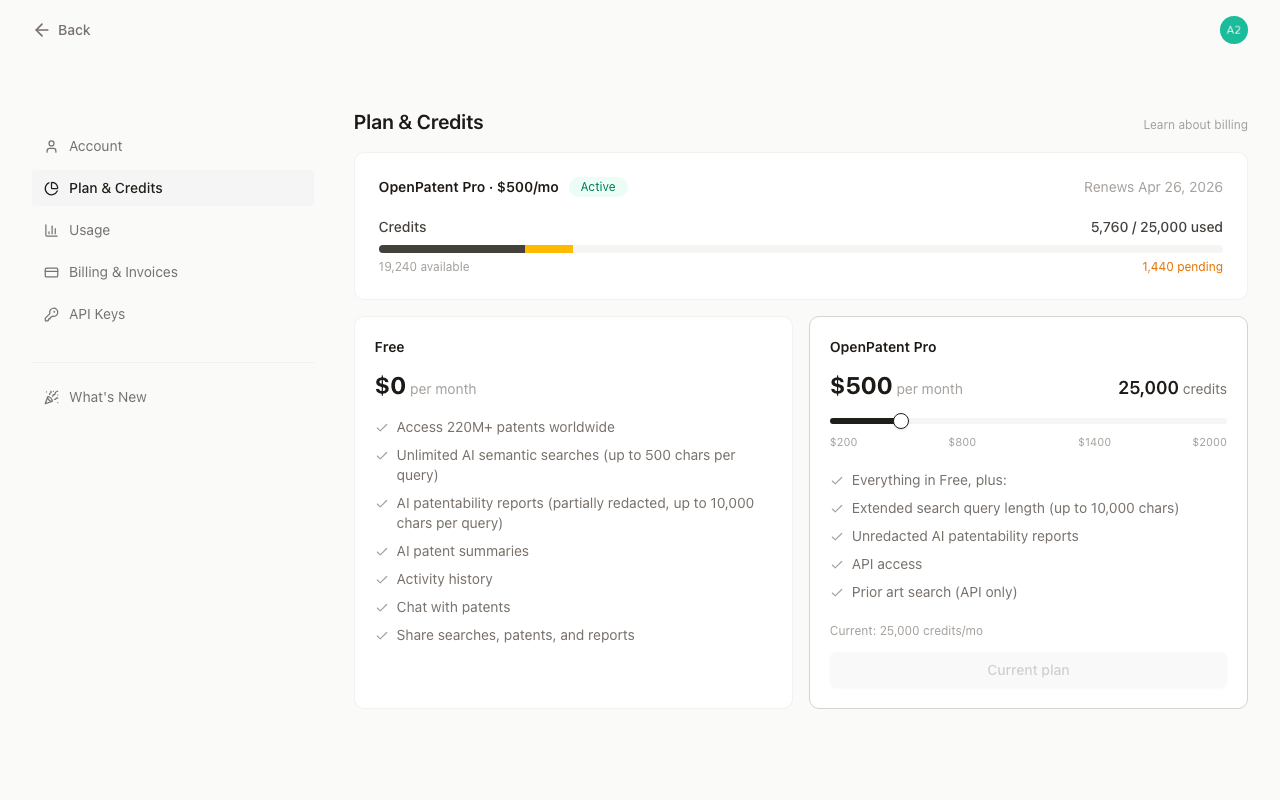
Upgrading Your Plan
You can upgrade to a higher credit tier at any time.
- Takes effect immediately. Your new credits become available right away, and a new billing cycle starts on the day you upgrade.
- Credits reset when you upgrade. Your remaining credits are replaced with the full credit allowance of your new plan. Unused credits from the previous plan do not carry over.
- Prorated pricing. You only pay the difference. The unused value of your current plan is calculated based on the credits you have remaining and is deducted from the cost of your new plan.
- Preview before you pay. Before confirming, you’ll see a detailed breakdown including your credit usage, the credit-back amount, and the exact amount you will be charged.
Important: Proration is based on credit usage, not time remaining. The fewer credits you have used, the more value you receive back. Credits reserved by ongoing requests are treated as used and are not eligible for credit-back.
Example: You’re on the $200/month plan (10,000 credits) and have used 3,000 credits. You decide to upgrade to the $400/month plan (20,000 credits).
- You have 7,000 credits remaining (70% unused), so you receive a credit-back of $200 × 70% = $140
- Your new plan starts immediately at $400/month
- Amount charged today: $400 − $140 = $260
Your billing cycle resets, and you immediately receive 20,000 credits.
Downgrading Your Plan
Downgrades do not take effect immediately. Your current plan remains active until the end of your billing cycle, then switches to the lower tier automatically.
You can switch to a lower credit tier at any time.
- Keep your current credits. You retain full access to your existing credits and features for the remainder of the cycle.
- Automatic switch. At the start of your next billing cycle, you’ll be moved to the lower tier and receive the corresponding credit allowance.
- Change your mind? You can cancel a pending downgrade at any time before it takes effect.
Canceling Your Subscription
You can cancel your Pro subscription at any time from your account settings.
- Your Pro features and remaining credits stay active until the end of your current billing cycle.
- Once the cycle ends, your account reverts to the free OpenPatent plan.
- Any unused credits expire at that point.
- Changed your mind? You can reactivate your subscription at any time before the current cycle ends.
Payment Methods
We accept all major credit cards, including Visa, Mastercard, and American Express. Payments are processed through Stripe. Depending on your bank or region, you may be prompted to complete 3D Secure verification for added security.
Frequently Asked Questions
What happens to my credits when I upgrade? Your previous credits are replaced with the full credit allowance of your new plan, effective immediately.
Is the upgrade cost based on how many credits I’ve used? Yes. The prorated amount is calculated based on your remaining credits. The less you’ve used, the more credit-back you receive toward your new plan.
Will my credits decrease immediately if I downgrade? No. Downgrades take effect at the start of your next billing cycle. Your current credits remain unchanged until then.
What happens if my payment fails during an upgrade? You’ll receive a payment link to complete the transaction manually. Your upgrade will be applied once the payment is successful.
Can I undo a scheduled downgrade? Yes, you can cancel a pending downgrade at any time before it takes effect.