Semantic Search
Semantic search lets you describe a technology or invention in your own words. Instead of matching exact keywords, GoVeda’s AI converts your query into a mathematical representation of its meaning, then finds patents whose content is conceptually similar. A patent about “wireless charging via inductive coupling” will surface when you search for “transferring power without a cable”, even if those exact words never appear in the patent.
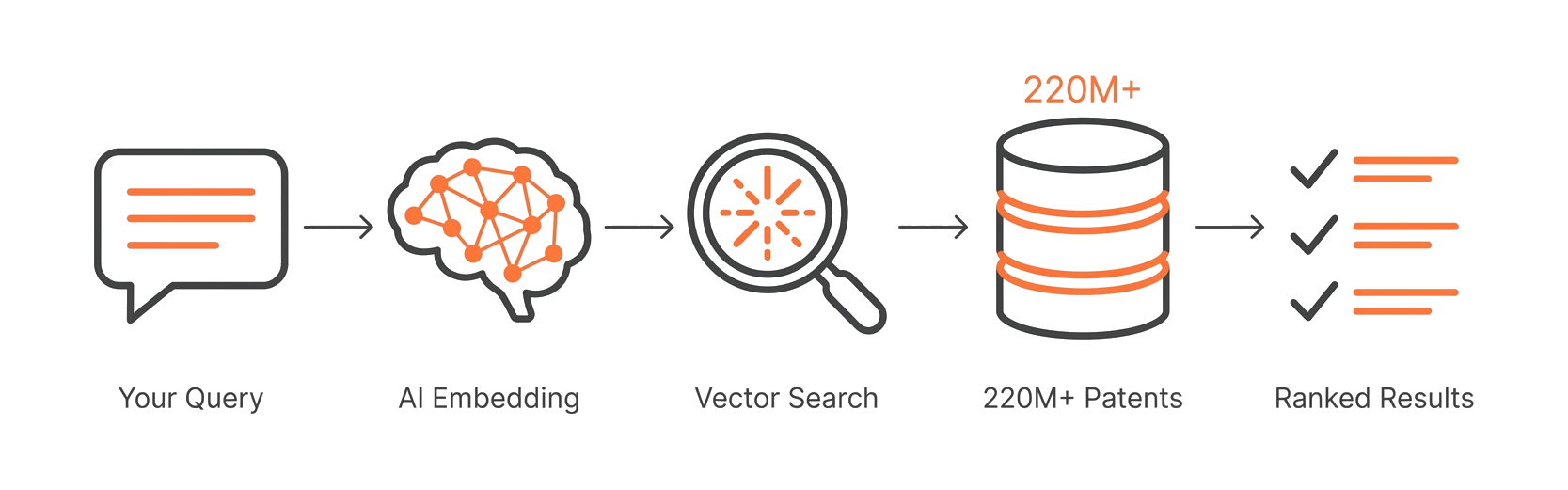
How to run a search
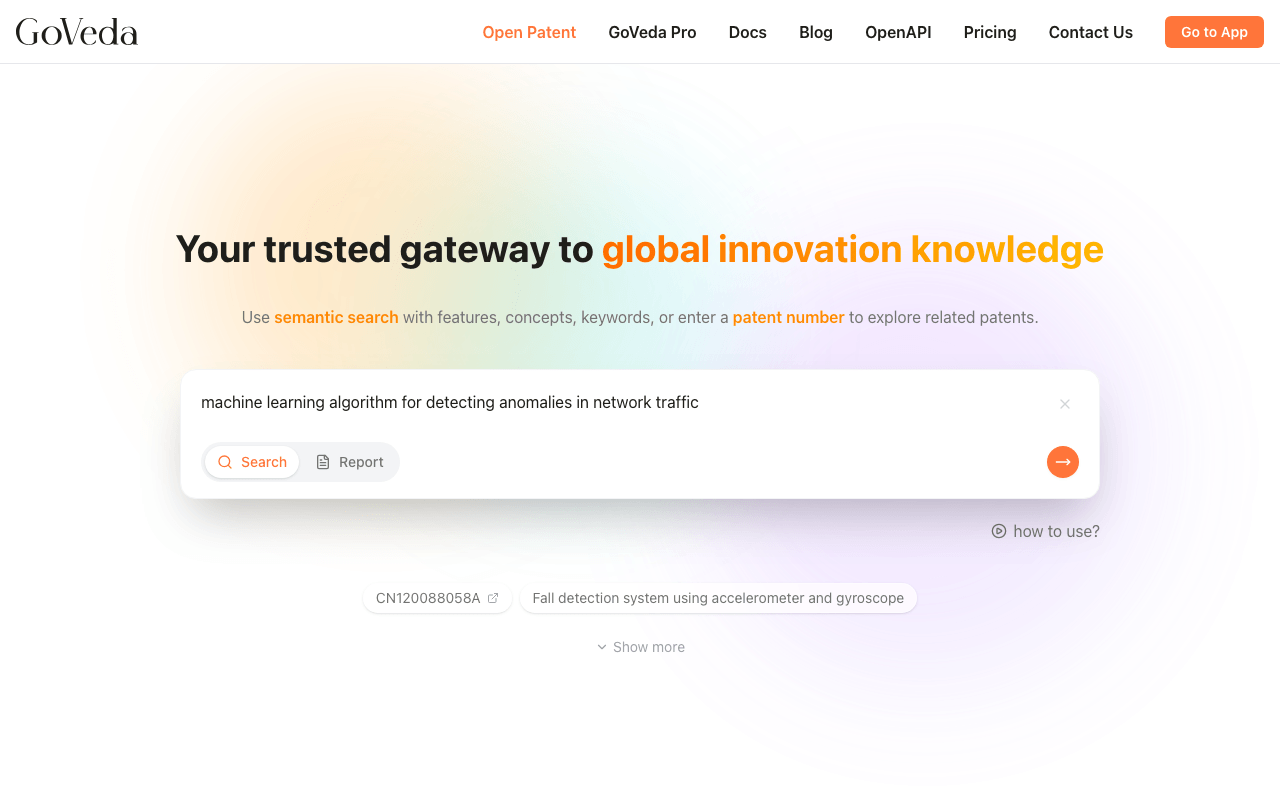
Go to the home page
Go to the GoVeda home page.
Select Search mode
Check that the input is in Search mode. The mode selector is at the bottom of the search bar. Click it to switch between Search and Report.
Enter your query
Type your query. Describe the technology, problem, or product feature you want to research.
Submit
Press Enter or click the submit button.
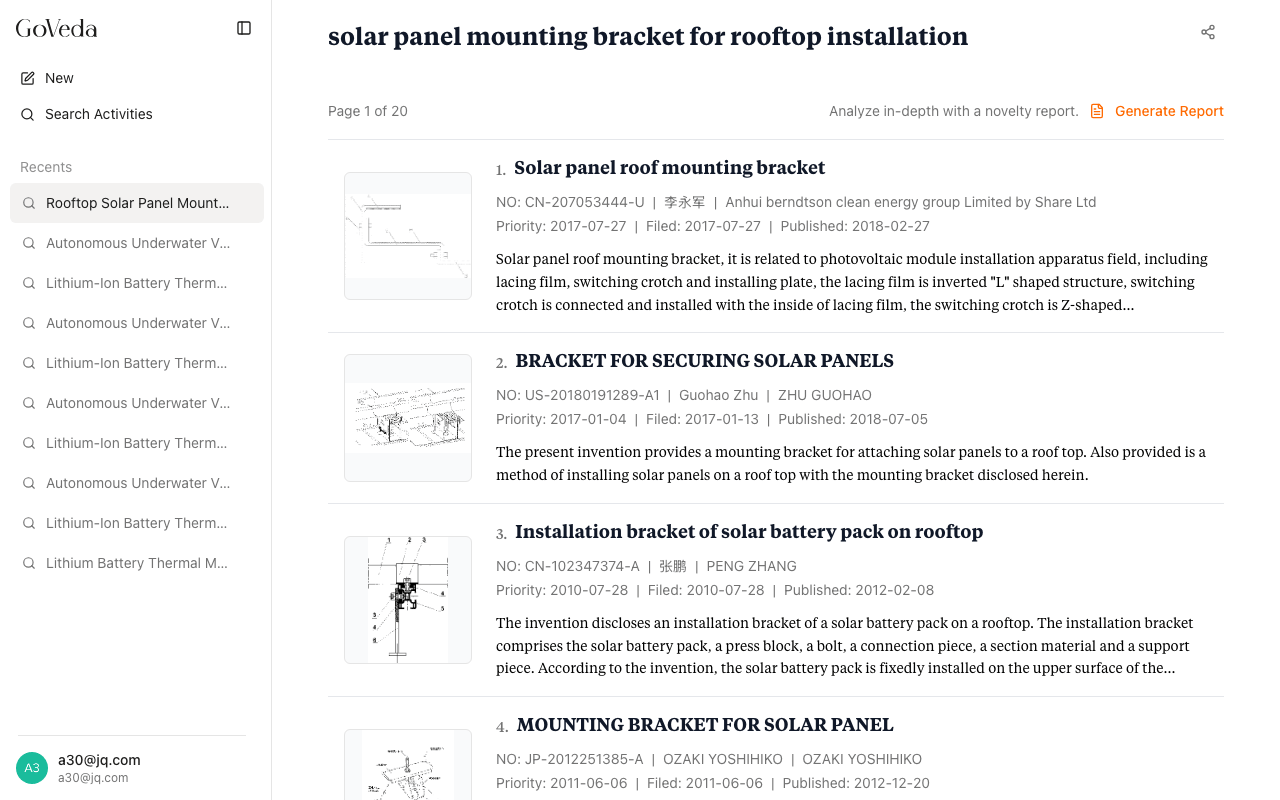
View results
GoVeda opens a results page and begins processing. Most searches complete within a few seconds.
Writing a good query
The quality of your results depends on how specifically you describe the technology. A few guidelines:
Be specific about the technology. Vague queries like “battery technology” return broad results. “Solid-state lithium battery with ceramic separator for electric vehicles” returns more targeted patents.
Describe the problem the invention solves. The underlying problem often appears in patent abstracts and claims. Including it helps surface relevant patents that a feature-only description would miss.
Include technical details. Mechanisms, materials, configurations, and application domains all give the AI more signal to work with. You do not need to use formal patent language.
Use more text for complex inventions. A two-sentence description may be enough for a simple mechanism. A multi-claim invention benefits from a full paragraph or more.
Example queries
| Less effective | More effective |
|---|---|
| Solar panel | Photovoltaic module with bifacial cells and anti-reflective coating for rooftop installation |
| Drug delivery | Sustained-release oral dosage form using polymer matrix for delivering metformin in type 2 diabetes treatment |
| Image compression | Lossy image compression based on discrete cosine transform with adaptive quantization tables |
Query length and credits
| Query length | Cost |
|---|---|
| Up to 500 characters | Free |
| 501 to 10,000 characters | 50 credits (Pro plan) |
When you type past 500 characters, GoVeda shows a banner prompting you to upgrade if you are on the Free plan. Queries over 10,000 characters are not accepted.
Multilingual support
You can write your query in any language. The AI processes the meaning regardless of which language you use. Results are always returned in English.
Search progress
After submitting, the results page shows a progress indicator while the AI processes your query. Most searches complete within a few seconds.
If a search fails, a Retry button appears on the results page. You can retry without worrying about double charges. Queries under 500 characters are free, and longer queries are only charged on success (failed searches are not billed).
Tips for better results
- Iterate. If the first search returns irrelevant results, rephrase to emphasize different aspects of the technology.
- Try both broad and narrow queries. A broader query shows what’s out there; a narrower one finds specific prior art.
- Add the application domain. Specifying medical, automotive, or consumer electronics helps when the technology spans industries.
- Avoid brand names. Generic technical descriptions perform better than product names.
- Include the purpose. Describing why a component exists often matches claim language better than describing what it is.