Report Access
Who can read a report and how much of it they can see depends on how it was created and whether the viewer has a Pro subscription.
| Scenario | Result |
|---|---|
| Free or anonymous user generates a report | Masked (preview only) |
| Pro user generates a report (720 credits) | Full access |
| Free user upgrades and pays credits | Masked → Full access |
| Owner creates a share link | Read-only access for recipients |
| Owner revokes the share link | Access removed |
Report types and default visibility
User reports are private by default. Only the creator can view them. Shared report links provide read-only access and can be revoked at any time.
| Report type | Who can view it | Content |
|---|---|---|
| Sample report | Anyone, no login required | Always fully visible |
| Anonymous report (created without signing in) | Anyone with the URL | Masked until unlocked |
| User report (created while signed in) | Only the creator | Masked until unlocked |
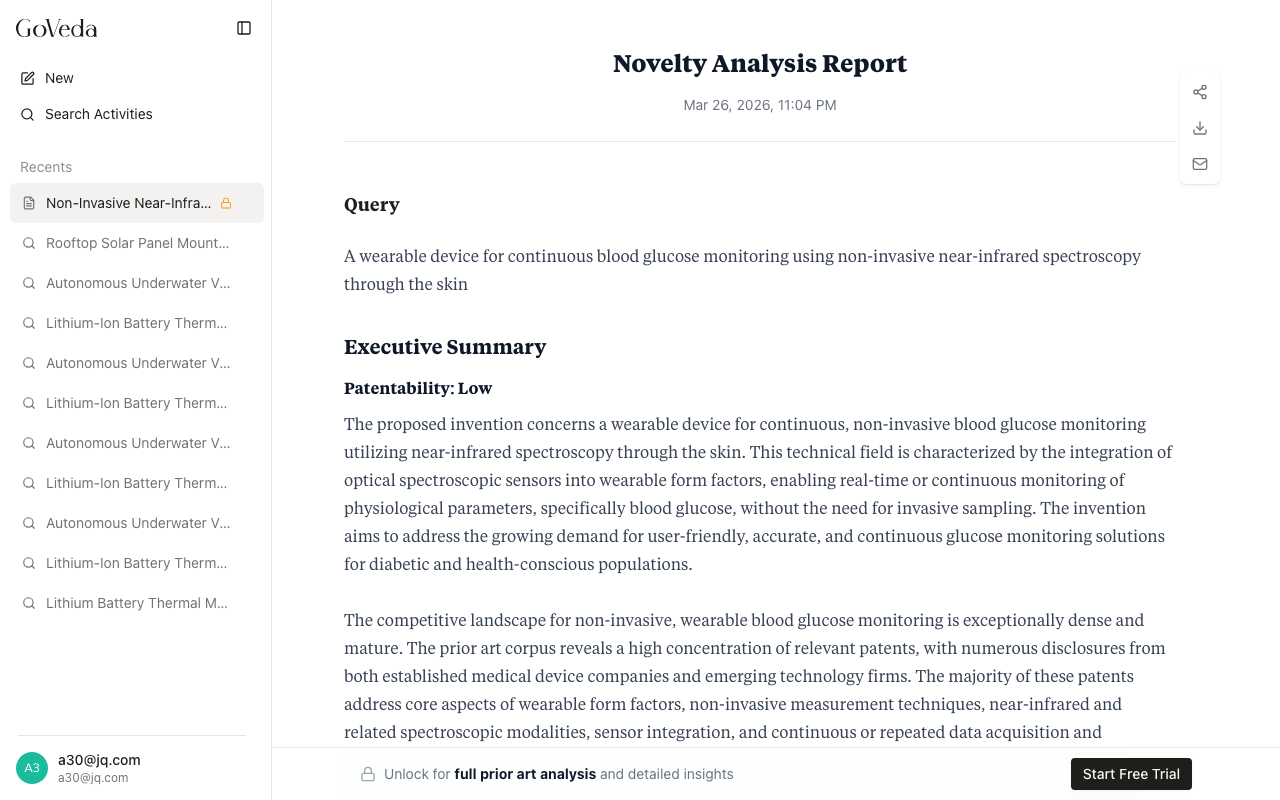
When a report is described as “masked”, the first prior art finding is shown normally and the remaining findings are blurred. Patent numbers and identifiers are hidden, replaced with generic labels like “Patent 1” and “Patent 2”.
Free vs Pro access
Free
If you generate a report without a Pro subscription (regardless of whether you are signed in), the report is generated in full but only a preview is shown:
- The Executive Summary is visible
- The Query Analysis is visible
- The first Relevant Prior Art patent card is shown, fully expanded
- All remaining patents are blurred and unreadable
- Patent identifiers are hidden throughout
- Patent Citations are not shown
- A “Unlock Full Report” bar appears at the bottom of the page
How to unlock a report
View the masked report
View the masked report (you must be signed in as the report’s owner).
Click Unlock
Click Unlock Full Report in the bar at the bottom of the page.
Complete the unlock
If you have sufficient credits, the report unlocks immediately. If you do not have credits, you are directed to the pricing page to subscribe or purchase a credit top-up.
If you generated the report while not signed in, sign in first. Reports created anonymously are automatically associated with your account when you sign in from the same browser.
Ownership and privacy
User reports are private by default. Only the person who created a report can view it. GoVeda does not surface your report to other users, and a direct link to the report URL will return “not found” for anyone who is not the creator.
Anonymous reports are accessible by URL, but only from the browser that created them. Once the report is claimed by an account (by signing in from that browser), it becomes private to that account.
Shared reports
You can share a report by generating a share link. Recipients who follow a share link can view the report in “share mode”:
- They can read the full content of the report (if the original report was unlocked when shared, recipients see the unlocked version)
- They cannot export the report as a PDF under your account
- They cannot send the report to your email
- They do not see action buttons for sharing or emailing the report
If a recipient has a Pro subscription, they can click Get Your Full Report to create their own unlocked copy of the shared report. This charges credits from their account and creates a new copy in their history.
Revoking a share link makes it immediately inaccessible. See Exporting and Sharing for steps.
Summary of access rules
| Situation | Access |
|---|---|
| Sample report, any user | Full, no login needed |
| Your own report, Pro subscription | Full after unlocking (720 credits) |
| Your own report, no Pro subscription | Preview only (first patent visible) |
| Shared report link, any viewer | Read-only view of the shared content |
| Someone else’s user report (no share link) | Not accessible |
| Anonymous report from a different browser | Not accessible |